
TL;DR:
- Modern HDR compression reduces file sizes by over 30% while maintaining visual quality.
- Advanced encoding methods like LBSVC outperform traditional codecs, saving storage and bandwidth.
- Effective HDR workflow requires matching camera, software, and export settings to prevent quality loss.
Most content creators assume HDR video means one thing: enormous files. A single 4K HDR clip can dwarf its standard dynamic range (SDR) counterpart, and that gap compounds fast when you're managing a full production library. But the assumption that HDR always equals a storage nightmare is outdated. Modern compression technologies have fundamentally changed the tradeoff between visual richness and file size. This article walks you through how HDR video compression works today, which methodologies deliver the best results, and how you can apply these advances to your actual workflow without sacrificing the highlights and shadow detail that make HDR worth shooting in the first place.
Table of Contents
- Why HDR video files balloon in size (and why it matters))
- How modern HDR video compression actually works
- Key methodologies compared: Traditional vs. learned scalable HDR compression
- Practical workflow benefits for content creators and professionals
- The real-world opportunity: What most HDR guides overlook
- Try compression solutions to streamline your HDR workflow
- Frequently asked questions
Key Takeaways
| Point | Details |
|---|---|
| Massive storage savings | Modern HDR compression can cut video file size by over 30 percent while keeping stunning visuals. |
| Perceptual quality preserved | Advanced codecs ensure your HDR content’s highlights and shadows remain vivid and artifact-free. |
| Workflow flexibility | You can tailor workflows with classic, backward-compatible, or learned scalable methods based on your needs. |
| Actionable for creators | Efficient HDR compression means faster uploads, cheaper storage, and easier sharing for every content team. |
Why HDR video files balloon in size (and why it matters)
HDR video captures a much wider range of light levels than standard dynamic range content. Where a typical LDR (low dynamic range) video uses 8 bits per pixel to encode color and luminance, HDR content requires 10 to 14 bits per pixel to represent everything from deep shadows to blinding highlights without clipping or banding. That difference sounds small, but it translates directly into significantly more storage for HDR video compared to LDR equivalents at the same resolution.
For a working creator or video professional, the consequences are immediate. A 30-minute 4K HDR project file can easily consume 50 to 80 GB before any editing overhead. Multiply that across a month of shoots and you're looking at serious cloud storage costs, slower upload and transfer times, and distribution pipelines that strain under the weight. Understanding why compress for storage is not just a technical curiosity. It's a financial decision.
The risks of poor compression are also more visible in HDR than in SDR content:
- Banding in gradients: Skies, skin tones, and smooth color transitions break into visible steps when bit depth is reduced carelessly.
- Blown highlights: Aggressive compression can clip peak luminance values, destroying the specular detail that makes HDR footage look cinematic.
- Crushed shadows: Low-light scenes lose texture and depth when the encoder discards subtle dark-region data.
- Amplified artifacts: Compression noise is far more noticeable in HDR because the wider tonal range exposes every flaw.
"The expanded luminance range in HDR content means that every compression decision carries more perceptual weight than it would in standard dynamic range video."
The good news is that these risks are manageable. The key is understanding that HDR compression is a specialized discipline, not just a matter of turning down a quality slider. Learning to optimize 4K and HDR storage starts with knowing what makes HDR data fundamentally different and then choosing tools built for that difference.
How modern HDR video compression actually works
The core challenge in HDR compression is encoding a luminance range that spans several orders of magnitude in a way that matches how human vision actually perceives light. Two broad strategies have emerged to solve this.
Single-layer high bit-depth encoding works by processing the full HDR signal natively at 10 to 14 bits using perceptual quantization (PQ) transfer functions. PQ, sometimes called ST.2084, maps light levels to code values based on the eye's sensitivity rather than a simple linear scale. This means more code values are assigned to the mid-tones where the eye is most sensitive, and fewer to the extremes. The result is a leaner bitstream that still looks visually accurate on HDR displays.

Two-layer backward-compatible encoding takes a different approach. A tone-mapped SDR base layer is encoded first, making the content playable on standard displays. An enhancement layer carries the additional HDR data needed to reconstruct the full signal on HDR-capable screens. As research confirms, single-layer and two-layer approaches are the two dominant strategies in professional HDR compression today.
Here's a quick comparison of the main encoding techniques:
| Technique | Bit depth | Backward compatible | Best use case |
|---|---|---|---|
| Single-layer PQ (HEVC Main10) | 10-14 bit | No | Dedicated HDR delivery |
| Two-layer scalable | 8+2 bit | Yes | Mixed HDR/SDR distribution |
| Learned scalable (LBSVC) | Variable | Configurable | Future-proof archiving |
Pro Tip: If your distribution targets a single HDR platform like YouTube or a streaming service, single-layer encoding is almost always more efficient. Reserve two-layer workflows for projects that need to reach both HDR and SDR audiences from the same file.
For creators who want to go deeper, optimized storage quality strategies combine the right transfer function with codec-level tuning to squeeze out maximum efficiency. And if you're building a long-term archive strategy, the guide on how to retain quality, cut storage is worth bookmarking.
Key methodologies compared: Traditional vs. learned scalable HDR compression
Traditional scalable codecs like SHM (Scalable HEVC) have been the industry workhorse for backward-compatible HDR delivery. They're robust, well-supported across hardware decoders, and predictable in how they handle the base and enhancement layers. The tradeoff is efficiency. Traditional scalable approaches leave meaningful bitrate savings on the table because they weren't designed with machine learning optimization in mind.
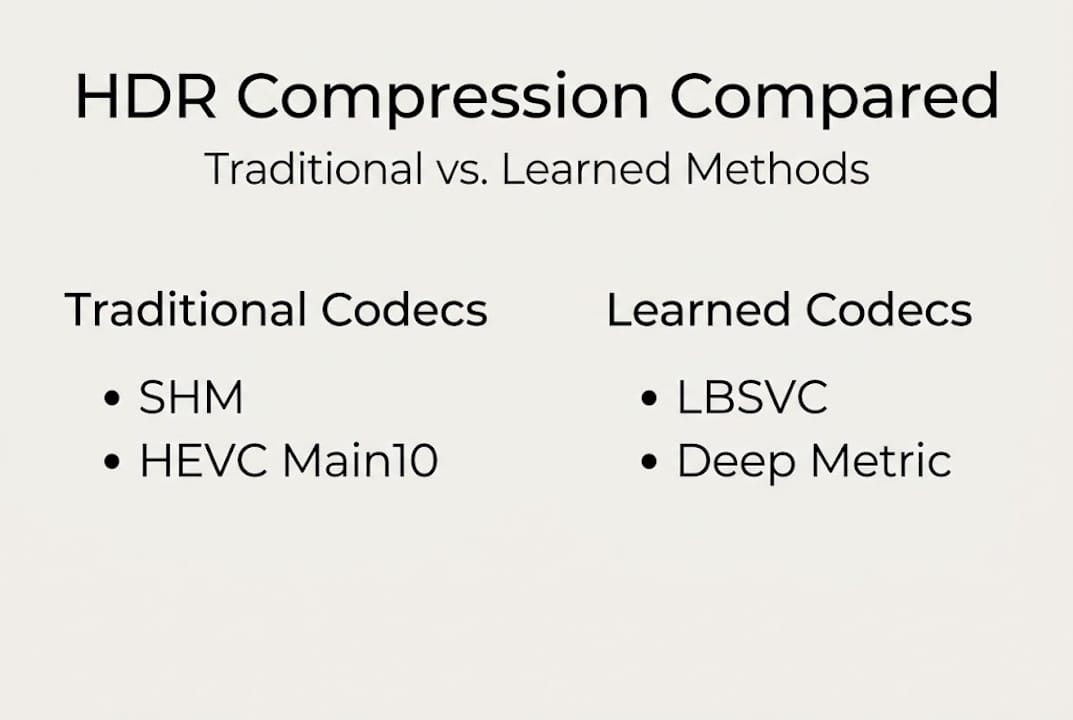
Learned scalable compression, represented by methods like LBSVC (Learned Backward-compatible Scalable Video Coding), applies neural network-driven encoding decisions to HDR content. The results are striking. LBSVC achieves 32.5% bitrate savings over SHM in PU-SSIM benchmarks, outperforming both traditional scalable and other learned baselines. That's not a marginal gain. It's the difference between storing three projects and storing four in the same space.
Here's how the methodologies stack up across the criteria that matter most to working creators:
| Methodology | Bitrate efficiency | Quality retention | Hardware support | Workflow complexity |
|---|---|---|---|---|
| Traditional scalable (SHM) | Moderate | Good | Excellent | Low |
| Single-layer HEVC Main10 | High | Excellent | Good | Low |
| Learned scalable (LBSVC) | Very high | Excellent | Limited (2026) | Medium |
Choosing the right method comes down to four practical questions:
- Where is your content going? Streaming platforms with strict codec requirements may limit your options regardless of efficiency gains.
- Who is your audience? Mixed HDR and SDR viewers push you toward two-layer or backward-compatible approaches.
- What hardware will decode it? Learned methods are not yet universally supported in consumer hardware as of 2026.
- How long will you archive it? Future-proof encoding favors higher efficiency even if playback requires transcoding later.
Pro Tip: For creators upgrading storage in 2026, pairing a learned compression tool with a well-organized HEVC storage optimization workflow can cut archive costs significantly without touching visual quality. Review the HDR compression benchmark data if you want to evaluate specific codec performance before committing to a pipeline.
Practical workflow benefits for content creators and professionals
The technical gains from modern HDR compression translate into tangible day-to-day advantages. The most immediate is storage cost. Compressing HDR footage with an advanced codec can reduce file sizes by roughly one-third without introducing perceptible quality loss in highlights, shadows, or gradients. For a creator running a subscription cloud storage plan, that reduction can eliminate the need for a tier upgrade entirely.
Faster transfers are the second benefit most creators notice. A 40 GB file that compresses to 27 GB uploads in two-thirds the time. That matters when you're delivering to a client on a deadline or syncing a shoot to a remote editor overnight. The cumulative time savings across a year of production are significant.
Here's what well-implemented HDR compression protects in your footage:
- Specular highlights: Bright reflections on metal, water, and glass retain their punch without clipping.
- Shadow texture: Subtle detail in dark areas stays intact rather than collapsing into flat black.
- Color gradients: Smooth transitions across skies and skin tones remain free of banding.
- Peak luminance accuracy: Bright scene elements hit their intended nits value without compression-induced drift.
"The goal of HDR compression is not to make the file smaller at any cost. It's to make the file as small as possible while keeping the visual experience indistinguishable from the original."
Pro Tip: Always do a final review pass on compressed HDR files by scrubbing through low-light scenes and bright exterior shots. These are the two areas most likely to show artifacts if your encoder settings were too aggressive. Applying cost-saving video storage tips early in your pipeline prevents expensive re-encodes later.
The one pitfall to watch is bit-depth scalability. If your editing software or delivery platform doesn't fully support 10-bit or 12-bit output, you may inadvertently downsample the signal during export and lose the quality gains the compression was designed to preserve. Always confirm your export chain supports the bit depth your codec is targeting.
The real-world opportunity: What most HDR guides overlook
Most articles about HDR compression stop at codec specs. They compare PSNR numbers, list transfer functions, and move on. What they rarely address is the gap between knowing the best codec and actually building a pipeline that captures those savings in your specific workflow.
The real opportunity is not in picking the most efficient encoder in isolation. It's in auditing your entire production chain, from camera settings to archive format, and identifying where HDR data is being inflated or degraded unnecessarily. Many creators are shooting in HDR but exporting in a format that discards half the tonal range before compression even begins. That's a workflow problem, not a codec problem.
We've seen creators cut storage costs by 30% or more not by switching codecs but by fixing mismatched color space settings between their camera, editing software, and export profile. The codec choice matters, but it matters less than pipeline coherence.
Modern HDR compression, especially workflow-driven compression strategies, gives creators genuine creative freedom. When storage stops being a constraint, you can shoot longer takes, keep more coverage, and archive everything rather than culling aggressively. That's the opportunity most guides miss entirely.
Try compression solutions to streamline your HDR workflow
Understanding the theory is one thing. Seeing the numbers for your actual footage is another. HEVCut is built specifically for creators and professionals who need efficient, high-quality compression without a steep technical learning curve.
Start by estimating your potential savings with the free video file size calculator to see exactly how much storage modern HEVC compression can recover from your current library. Then explore HEVCut's compression tools to process your HDR footage directly, with up to 70% file size reduction and no visible quality loss. Whether you're managing a single project or an entire production archive, HEVCut gives you the control to compress smarter and store less.
Frequently asked questions
How much storage can HDR video compression actually save?
Advanced methods like LBSVC can reduce HDR video bitrates by over 30% compared to widely used codecs like SHM, translating directly into storage and bandwidth savings for production libraries.
Will I lose visual quality if I compress HDR videos?
Modern codecs preserve perceptual quality in highlights and shadows at reduced sizes, but choosing the right format and settings is crucial to avoid banding or highlight artifacts.
What's the best methodology for compressing HDR video today?
Single-layer high-profile encoding or learned scalable methods like LBSVC deliver the best efficiency for pure HDR workflows, with LBSVC outperforming traditional scalable codecs on benchmark datasets.
Are two-layer HDR workflows still useful for creators?
Yes. Backward-compatible two-layer approaches combine a tone-mapped LDR base with an HDR enhancement layer, making content accessible on both standard and HDR displays from a single file.
What pitfalls should I avoid when compressing HDR video?
Avoid low bit-depth export settings and always review compressed files for artifacts in shadow and highlight regions, since bit-depth scalability issues are the most common source of visible quality loss in HDR compression workflows.
Recommended
- HDR video compression guide: retain quality, cut storage
- Master HDR video compression: optimized storage quality
- Why Compress for Storage? Save Space and Cut Video Costs
- Video compression best practices: optimize quality and storage
- Solaya Features | AI 3D Capture, Reconstruction & High-Fidelity Models