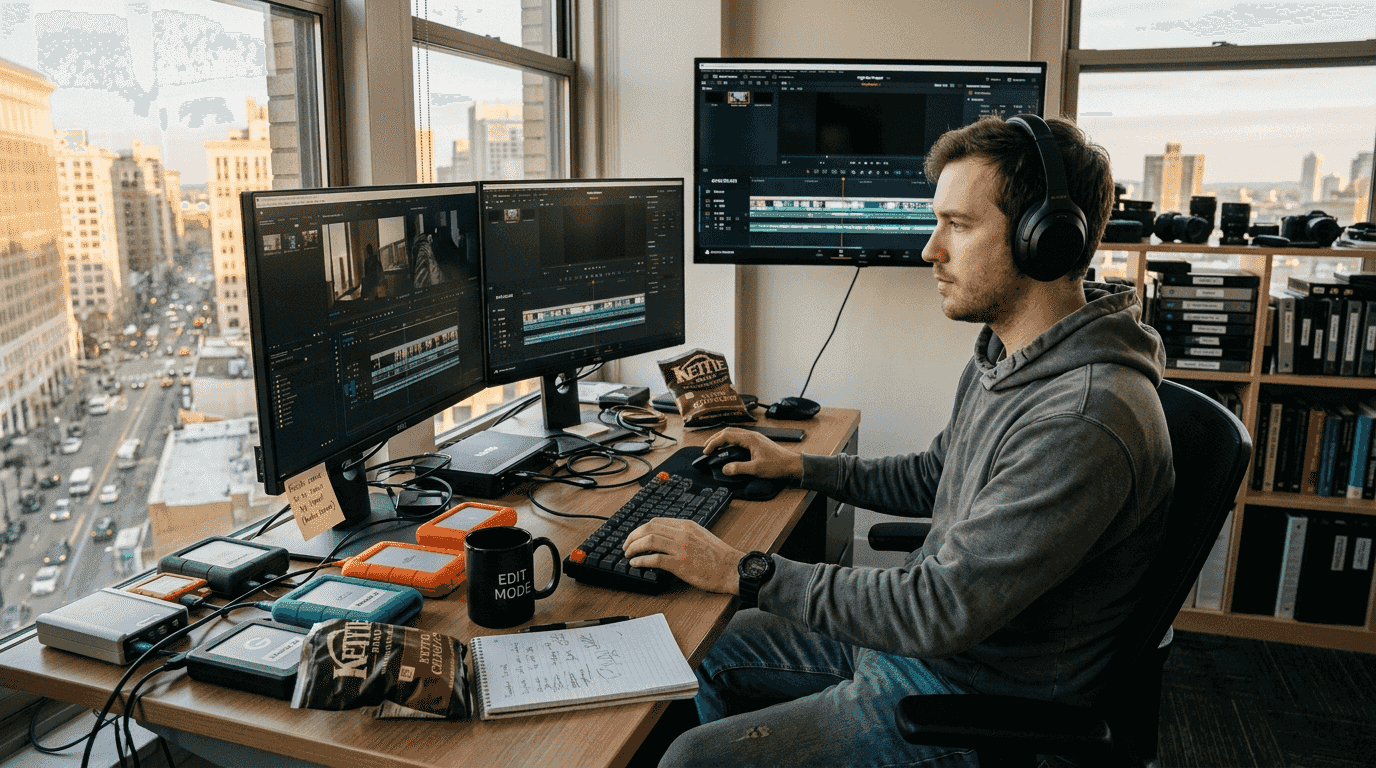
Managing high-resolution video files has become a mounting challenge for content creators and small businesses. An hour of 4K footage demands over 100GB of raw storage, pushing many to invest heavily in external drives and cloud subscriptions. Yet throwing money at bigger hard drives only delays the inevitable storage crunch. Advanced compression codecs like AV1 and VVC offer a smarter path forward, slashing file sizes by 50% or more without visible quality loss. This guide reveals how modern compression technology transforms storage economics, enabling you to upgrade strategically rather than reactively while keeping costs predictable and workflows efficient.
Table of Contents
- The storage challenge for high-resolution video creators
- How advanced compression codecs transform storage needs
- Tiered storage strategies and hybrid solutions for creators
- Optimizing compression and storage: trade-offs and best practices
- Optimize your video storage with HEVCut tools
- Frequently asked questions
Key takeaways
| Point | Details |
|---|---|
| Advanced codecs drastically cut file sizes | AV1 and VVC reduce storage needs by 50-65% compared to older formats |
| Royalty-free options control costs | AV1 eliminates licensing fees while delivering professional-grade compression |
| Tiered storage optimizes performance | Combining NVMe SSDs, NAS, and HDDs balances speed with affordability |
| Hybrid setups balance privacy and scale | Local plus cloud storage provides flexibility without sacrificing control |
| Smart compression streamlines workflows | Proper encoding saves money and simplifies video file management tips creators 2026 |
The storage challenge for high-resolution video creators
High-resolution video production creates storage demands that spiral quickly beyond initial expectations. An hour of 4K footage can require 100GB or more depending on the codec and bitrate settings you choose. Content creators shooting multiple takes or maintaining raw footage libraries face terabytes of accumulated data within months.
Traditional storage upgrades focus exclusively on capacity expansion. You buy larger SSDs, add external drives, or invest in network-attached storage arrays. Each solution carries significant upfront costs and ongoing maintenance requirements. A 4TB NVMe SSD runs $300-500, while enterprise NAS systems easily exceed $1,000 before adding drive costs.
The real problem extends beyond raw capacity. Storage choices directly impact editing performance, collaboration workflows, and long-term archiving strategies. Fast SSDs enable smooth 4K timeline scrubbing but cost substantially more per gigabyte than mechanical drives. Cloud storage offers scalability yet introduces monthly fees that compound over time.
Many creators operate under a critical misconception: simply buying larger drives solves storage problems permanently. This approach ignores the exponential growth of video file sizes as resolution and frame rates increase. Shooting 8K or high frame rate content multiplies storage consumption dramatically. Without addressing file size efficiency, you remain trapped in an endless cycle of purchasing additional capacity.
Storage bottlenecks also create workflow friction:
- Slow transfer speeds delay project handoffs between team members
- Limited backup capacity increases data loss risk
- Expensive cloud sync services strain tight budgets
- Archive retrieval becomes cumbersome with scattered drive collections
Smart creators recognize that compression technology offers a more sustainable path. Rather than fighting storage limits with brute force hardware spending, advanced codecs fundamentally reduce how much space each video requires. This shift transforms storage economics from a recurring expense into a one-time strategic investment.
How advanced compression codecs transform storage needs
Modern video codecs represent a quantum leap in storage efficiency compared to legacy formats like H.264. Three technologies dominate the current landscape: HEVC (H.265), AV1, and VVC (H.266). Each delivers substantial file size reductions while maintaining perceptual quality that satisfies professional standards.

AV1 offers 55-65% bitrate savings over H.264 for 4K video content. This royalty-free codec emerged from the Alliance for Open Media, backed by tech giants including Google, Netflix, and Amazon. The absence of licensing fees makes AV1 particularly attractive for small businesses and independent creators operating on constrained budgets.
HEVC preceded AV1 and remains widely supported across hardware devices and editing platforms. It delivers approximately 50% better compression than H.264, though patent licensing complexities have limited adoption in some sectors. Many smartphone manufacturers and camera systems default to HEVC for internal recording, making it a practical choice for workflows built around mobile capture.
VVC (H.266) achieves ~50% better compression than HEVC but with higher compute needs. This newest standard pushes efficiency boundaries further, enabling 8K streaming and immersive video formats. However, encoding complexity and limited hardware support currently restrict VVC to cutting-edge applications rather than mainstream production.
The practical impact of codec choice becomes clear through real-world examples. A 10-minute 4K video at 60fps might consume 8GB in H.264 format. Encoding the same footage in AV1 reduces file size to 3-4GB without perceptible quality degradation. Over hundreds of projects, these savings compound into terabytes of reclaimed storage capacity.
| Codec | Compression vs H.264 | Licensing | Hardware Support | Best For |
|---|---|---|---|---|
| H.264 | Baseline | Paid | Universal | Legacy compatibility |
| HEVC | 50% better | Complex | Wide | Mobile workflows |
| AV1 | 55-65% better | Free | Growing | Cost-conscious creators |
| VVC | 75% better | Paid | Limited | Future-proofing |
Trade-offs exist beyond raw compression ratios. Encoding speed varies dramatically between codecs and implementations. Hardware accelerated encoders process footage faster but sometimes sacrifice quality compared to software encoders. Licensing considerations affect distribution rights and platform compatibility.
Pro Tip: Test codec options with representative footage from your typical projects before committing to a workflow change. Visual quality perception varies by content type, and what works for talking head videos may not suit action-heavy sequences.
Selecting the right codec requires balancing immediate needs against future scalability. AV1's royalty-free status and strong compression make it ideal for creators prioritizing key features online video compressors should deliver. HEVC suits workflows already built around Apple or mobile ecosystems. VVC remains a forward-looking choice for those willing to accept current limitations in exchange for maximum efficiency.
Tiered storage strategies and hybrid solutions for creators
Compression codecs unlock their full potential when integrated into intelligent storage architectures. Tiered storage systems match hardware performance characteristics to specific workflow stages, optimizing both speed and cost efficiency. This approach recognizes that not all video files require identical access speeds or redundancy levels.
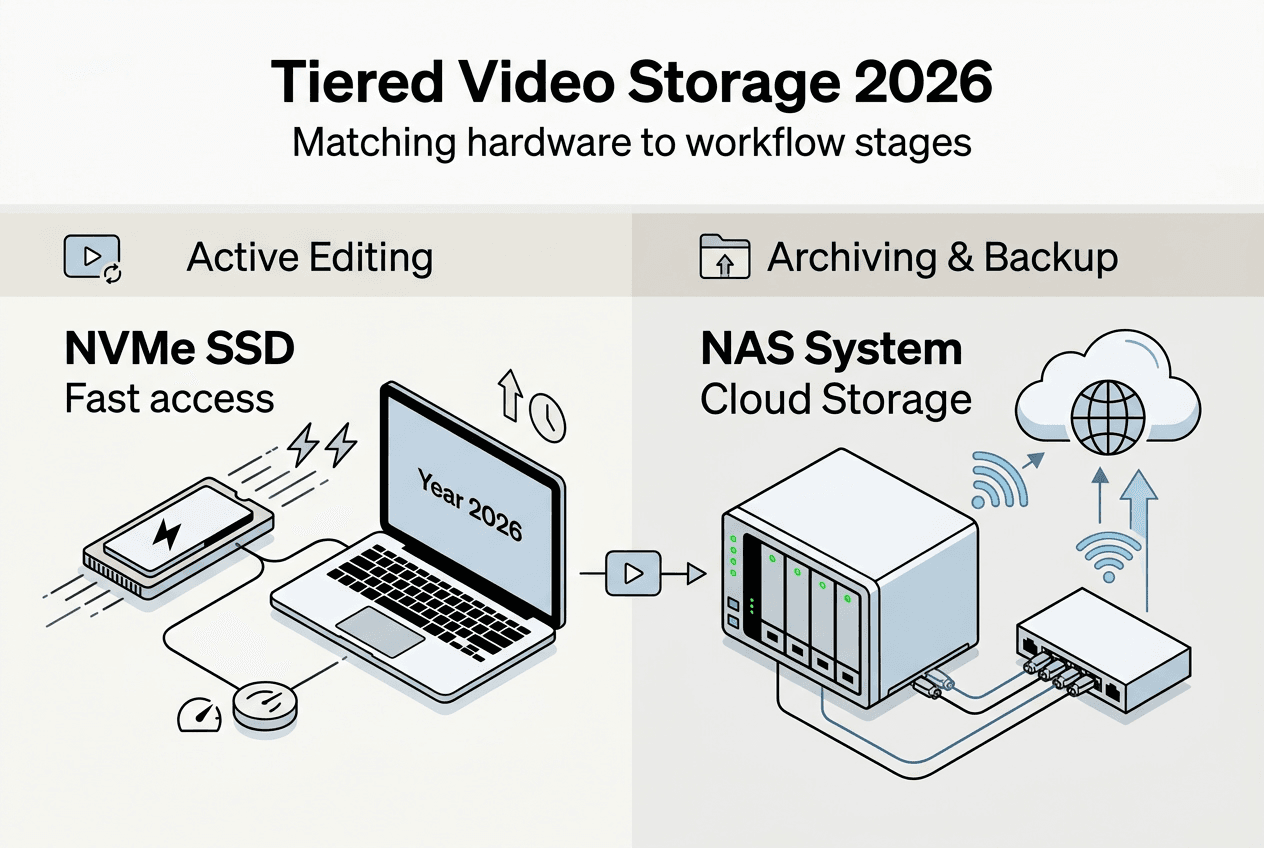
NVMe SSDs (400-500 MB/s) best for active 4K editing, providing the sustained throughput needed for smooth timeline playback and real-time effects rendering. These drives serve as your primary workspace, housing current projects and frequently accessed assets. Capacity requirements shrink dramatically when working with AV1 or HEVC compressed proxies rather than raw camera files.
Network-attached storage fills the collaboration and near-line archive role. NAS systems enable multiple team members to access shared footage libraries simultaneously while providing RAID redundancy against drive failures. Modern NAS appliances support on-the-fly transcoding, automatically generating compressed versions of uploaded content for remote editing.
Mechanical hard drives handle long-term archiving at the lowest cost per gigabyte. Completed projects and raw footage backups migrate to HDDs after active editing concludes. While access speeds lag behind SSDs, archived content rarely requires instant retrieval. Compression before archiving maximizes how many projects fit on each drive.
Cloud storage introduces scalability and geographic redundancy without upfront hardware investments. Cloud platforms offer compression-optimized hosting, often cheaper than raw local storage when factoring in electricity, cooling, and replacement costs. Services like Backblaze B2 or Wasabi charge $5-6 per terabyte monthly, competitive with the amortized cost of physical drives.
Hybrid architectures combine local and cloud elements strategically:
- Active projects remain on local NVMe for maximum performance
- Completed projects sync to cloud storage for disaster recovery
- Raw footage archives to local HDDs with cloud backup of compressed versions
- Collaboration happens through cloud-synced folders with automatic compression
This tiered approach delivers multiple advantages. You maintain fast local access for active work while leveraging cloud economics for long-term retention. Privacy-sensitive content stays on-premises, while less critical assets benefit from cloud scalability. Bandwidth limitations become manageable since only compressed files traverse internet connections.
Pro Tip: Implement a clear data lifecycle policy that automatically migrates files between tiers based on age and access frequency. This prevents manual decision-making bottlenecks and ensures consistent storage optimization.
The build cost effective video storage workflow 2026 process starts with calculating your active working set size. Most editors need 2-4TB of fast SSD storage for concurrent projects. Multiply your typical project file size by the number of simultaneous clients or productions you handle. Compression reduces this baseline by 50-70%, potentially cutting required SSD capacity in half.
Next, estimate archive growth rates. Review the past year's project output and project forward with a 20% buffer for growth. Compressed archives require substantially less capacity than maintaining raw footage indefinitely. A creator producing 500GB of raw footage monthly might archive just 150-200GB after compression, dramatically extending drive lifespan.
Cloud storage costs scale linearly with consumption, making them predictable and controllable. Compare monthly cloud fees against the equivalent local storage investment amortized over three years. Factor in redundancy requirements, as cloud providers handle replication automatically while local setups require manual backup routines.
Understanding video storage costs explained smart saving strategies 2026 helps you model total cost of ownership accurately. Hidden expenses like drive replacements, power consumption, and time spent managing storage systems often exceed initial hardware prices. Cloud solutions eliminate these operational burdens while providing superior reliability guarantees.
Optimizing compression and storage: trade-offs and best practices
Effective compression requires understanding the nuanced relationship between encoding settings, perceptual quality, and processing time. Hardware and software encoders take fundamentally different approaches, each with distinct advantages depending on your priorities and constraints.
Hardware encoders (NVENC) are faster but lower quality than software encoders like libx265. NVIDIA's NVENC and Intel Quick Sync process footage in real-time or faster, enabling rapid turnaround for high-volume workflows. However, they achieve target bitrates through less sophisticated compression algorithms, resulting in larger files or reduced quality compared to CPU-based encoding.
Software encoders maximize compression efficiency through exhaustive analysis of each frame. Tools like x265 and SVT-AV1 implement advanced techniques including psychovisual optimization and adaptive quantization. Encoding times increase substantially, sometimes requiring hours for long-form 4K content, but file sizes shrink by an additional 15-25% compared to hardware encoders at equivalent quality levels.
Perceptual quality metrics provide objective measurement beyond simple bitrate comparisons. VMAF (Video Multimethod Assessment Fusion) scores correlate closely with human perception, offering a reliable target for encoding decisions. Maintaining VMAF scores above 95 ensures visually lossless results for most content types, while scores of 85-95 suit web delivery where slight artifacts remain imperceptible.
Licensing complexity impacts codec selection for commercial projects. HEVC patent pools require fees for commercial distribution, though personal use typically falls outside licensing requirements. AV1's royalty-free status eliminates these concerns entirely, making it ideal for creators monetizing content across multiple platforms. VVC licensing terms remain in flux, creating uncertainty for early adopters.
Follow these best practices to maximize storage savings without compromising quality:
- Establish a quality baseline by encoding test clips at various settings and comparing results on calibrated displays
- Use two-pass encoding for final deliverables, allowing the encoder to optimize bitrate allocation across the entire video
- Enable hardware acceleration only for time-critical proxies or rough cuts, reserving software encoding for final masters
- Archive both a high-quality master and compressed distribution versions to avoid generation loss from re-encoding
- Implement automated encoding pipelines that process footage overnight, eliminating the wait time disadvantage of software encoders
- Monitor storage savings monthly to validate that compression strategies deliver expected results
Common pitfalls undermine compression effectiveness when overlooked. Encoding already-compressed footage compounds quality loss through generation effects. Always work from the highest quality source available, whether camera originals or intermediate codecs like ProRes. Avoid excessive compression for footage requiring color grading or visual effects work, as heavy compression reduces flexibility in post-production.
Balancing competing priorities requires honest assessment of your specific needs:
"The best codec is the one that meets your quality requirements at the lowest bitrate while fitting within your available encoding time and hardware budget. There is no universal answer, only informed trade-offs based on project constraints."
Compute complexity scales with resolution and frame rate. Encoding 8K footage in AV1 demands substantially more processing power than 1080p content. Creators working with ultra-high-resolution formats should invest in multi-core CPUs or consider cloud encoding services that provide elastic compute capacity. The time saved and quality gained often justify the incremental cost.
Storage upgrades succeed when compression becomes an integrated workflow component rather than an afterthought. Automatic encoding upon ingest ensures all footage enters your storage system in optimized form. Proxy workflows let you edit with lightweight compressed files while preserving full-quality masters for final rendering. These practices compound savings across every project.
The video compression best practices optimize quality storage framework emphasizes systematic testing and measurement. Track encoding times, file sizes, and subjective quality assessments for different settings. Build a knowledge base of proven configurations for common scenarios, eliminating guesswork from future projects. Document your decisions so team members apply consistent standards across all work.
Optimize your video storage with HEVCut tools
Applying advanced compression strategies becomes straightforward with purpose-built tools designed for creators and small businesses. HEVCut simplifies the technical complexity of codec selection and encoding optimization, letting you focus on content creation rather than storage management.
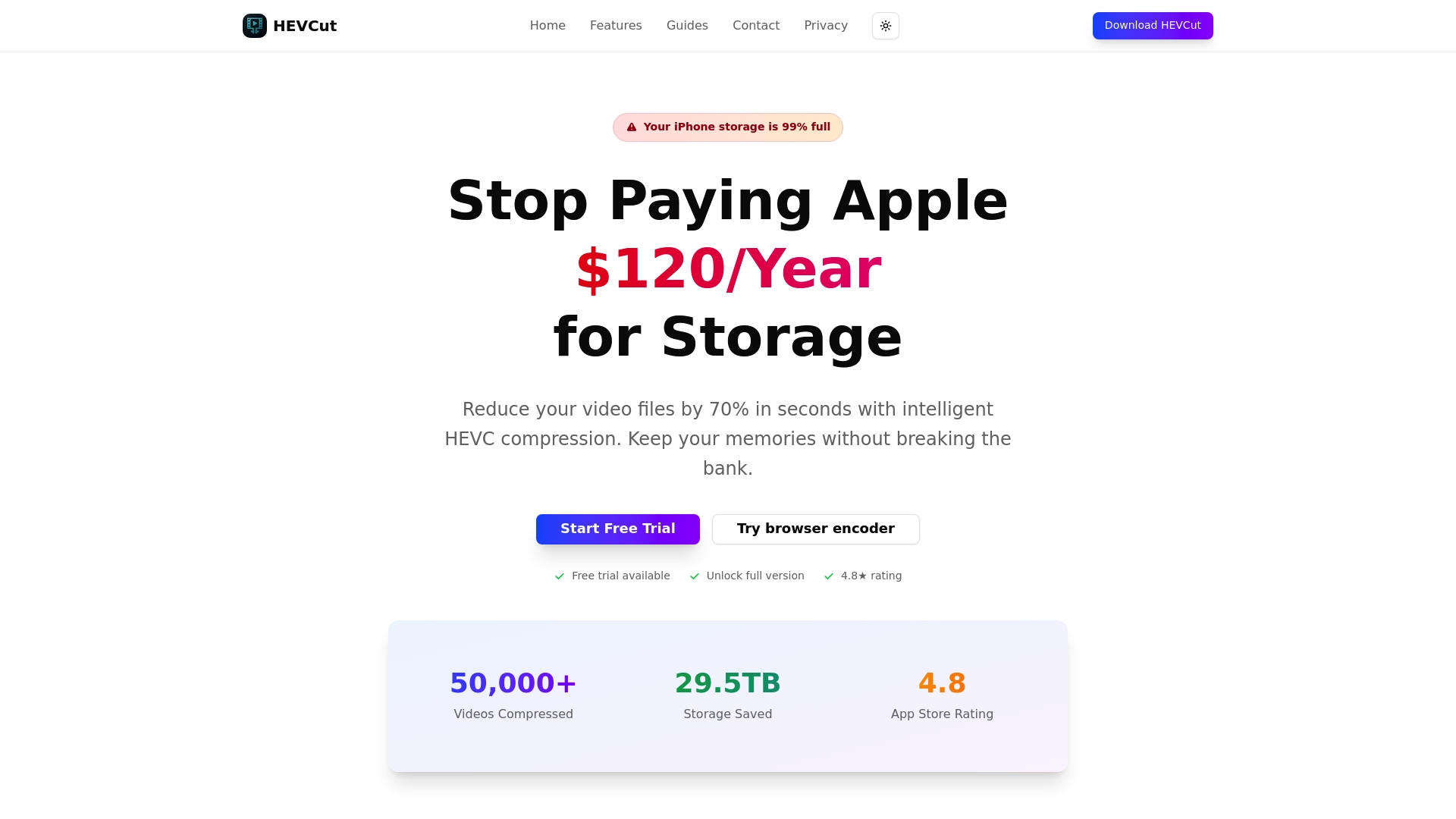
The video compressor delivers up to 70% file size reduction while maintaining visual quality that satisfies professional standards. Upload footage directly through your browser and receive optimized files within minutes. Automatic settings handle codec selection and quality parameters based on your content type, eliminating the need for deep technical expertise.
Small businesses benefit from predictable storage costs enabled by consistent compression. The storage calculator projects how much capacity you'll need based on shooting volume and compression ratios. Input your typical monthly footage production and see exactly how compression impacts storage requirements over time. This data-driven approach prevents over-provisioning while ensuring adequate capacity for growth.
Pro Tip: Use the storage calculator before purchasing new drives or upgrading cloud subscriptions. Compression often eliminates the need for expensive capacity expansions, redirecting budget toward better cameras or lighting equipment that directly improves content quality.
Frequently asked questions
What video compression codec should content creators use in 2026?
AV1 represents the best choice for most content creators in 2026 due to its royalty-free licensing and superior compression efficiency. It delivers 55-65% smaller files than H.264 while maintaining professional quality standards. Hardware support has matured across editing platforms and playback devices, eliminating early adoption concerns. HEVC remains viable for workflows built around Apple ecosystems or mobile capture, though licensing complexity creates distribution challenges.
How can I balance video quality with storage savings when encoding?
Target VMAF scores above 95 for visually lossless results that satisfy professional standards. Use software encoders like x265 or SVT-AV1 for final masters despite longer processing times, as they deliver 15-25% better compression than hardware alternatives. Test settings with representative footage before committing to a workflow, since perceptual quality varies by content type. Reserve hardware encoding for time-critical proxies where speed outweighs maximum efficiency.
What storage setup is best for small business video projects?
Implement tiered storage matching hardware to workflow stages: NVMe SSDs for active editing, NAS for team collaboration, and HDDs for long-term archives. This approach balances performance with cost efficiency. Consider hybrid architectures that combine local storage for active projects with cloud backup for disaster recovery. Compression reduces capacity requirements across all tiers, potentially cutting storage investments by 50-70% compared to maintaining raw footage.
Are cloud solutions cost-effective compared to local storage for video?
Cloud storage becomes cost-effective when factoring in operational expenses like electricity, cooling, drive replacements, and management time. Services charging $5-6 per terabyte monthly compete favorably with amortized local storage costs over three years. Compression before cloud upload maximizes value by reducing bandwidth consumption and monthly fees. However, local storage provides better privacy control and eliminates internet dependency for active projects, making hybrid approaches optimal for most creators.